🎹 Music + 📖 Fiction + 📣 Marketing

Category: Marketing (Page 2 of 4)

When Shares Outrun Likes: The Anatomy of a One-Minute Viral Reel

There’s a weird thing that happens sometimes when you post on social media: you throw something up for fun with no big production, no months-long content calendar, and it works better than anything you’ve carefully planned.

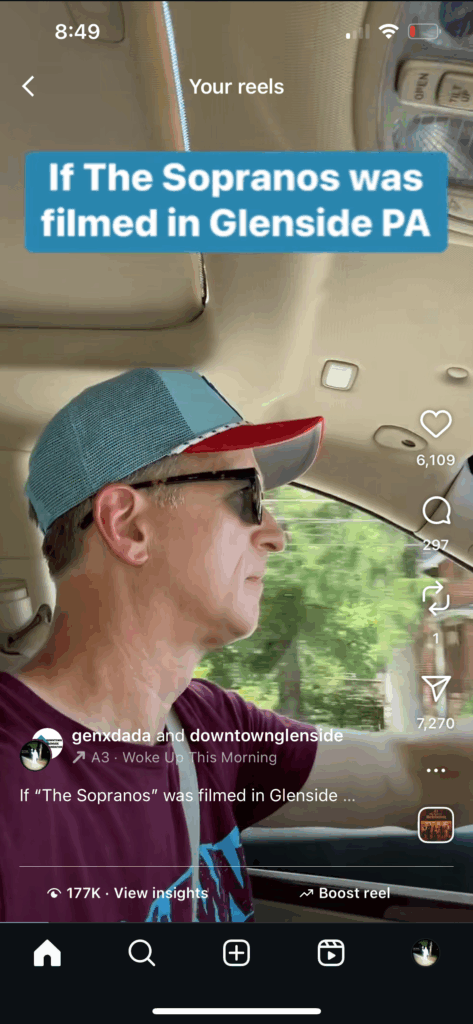
That’s what happened with my Sopranos-style Instagram Reel. Instead of Tony driving through New Jersey, it was me driving around Glenside, Pennsylvania, hitting the landmarks that matter to me: the shops, the restaurants, the old bridges with murals, even a donut from Daryl’s Pastries. The whole thing had similar grit, improper lighting, and jerky camera work as the original intro. But, opposed to driving a top tier modern SUV, I was driving a 2007 clunker. And instead of coming home to a McMansion for the finale, I end up at jaded at GIANT (once again) to buy mundane staples.
I figured the Reel might get 20 likes.

Instead, it arrived at:

  • 178k+ views
  • 6,155 likes
  • 7,309 shares
  • 300 comments

Throughout, it kept a steady rate of producing 115 to 125% more shares than likes. In the social media world, that’s like a solar eclipse. It’s rare. In most posts, shares are a fraction of likes. In fact, it’s so unusual that marketers tend to study it the way birdwatchers get excited over a rare warbler sighting.


So why did it take off? A few working theories.

1. A recognizable format with a twist

The Sopranos intro is instantly familiar. You don’t need to explain it. You just recreate it and people get it in the first two seconds. Add a local twist, and suddenly you’re talking to two audiences at once: fans of the show and people with a connection to Glenside.

2. Local details that hit the nostalgia button

This wasn’t just a list of businesses. It had telephone poles with decades of character, cracked concrete bridges painted over with murals, and storefronts that haven’t changed in years. That’s the stuff that sends former residents, even the ones who live in Florida now, into the comments to say it made them homesick.

3. Cross-generational appeal

Here’s the thing: The Sopranos is old enough now that it has two lives. Older viewers remember watching it when it aired. Younger viewers are discovering it on streaming and treating it like retro-cool. That’s possibly why this Reel connected with people in their 20s… and people in their 80s.

4. Perfect timing without trying

I posted it on Saturday morning, July 5th, the day after the Fourth of July. Almost everyone was off work. People were scrolling, possibly hungover and still smelling like fireworks. And I happened to be wearing a Phillies hat with the American flag inside the “P.” Was that planned? No. Did it make it feel seasonally relevant? Absolutely.

5. The “you forgot my spot” phenomenon

Some people pointed out I didn’t include their favorite local attraction. In a 60-second video, you can’t get to everything. But that reaction is actually a win. It means people care enough to want their spot in the spotlight. It also means Part 2 is practically writing itself.


Why more shares than likes matters

Shares are the ultimate “you have to see this” metric. A like is a polite nod; a share is someone walking across the room and saying, “Stop what you’re doing, watch this.” When shares outpace likes, it’s a strong signal you’ve hit something culturally resonant.

For this Reel, shares beat likes by 20%. I rarely see that, and I work in digital marketing for a living. When it does happen, it’s usually because the content triggers identity (“this is so us”), inside jokes, or hometown pride. This one seemed to have all three.


The marketing takeaways

  1. Leverage formats people already know. If they recognize it instantly, they’ll stick around.
  2. Get hyper-specific with details. The texture of a telephone pole can mean more than a skyline shot.
  3. Post in low-noise windows. Holiday weekends, early mornings — times when people have time to scroll.
  4. Don’t fear omissions. The comments section can become your idea bank for sequels.
  5. Measure shares as a top metric. They tell you how far your content travels beyond your own audience.

The next Reel in this series is already underway. I’ll probably get a mix of nostalgia, mild outrage, and “you forgot my place” comments again. But I don’t think it will produce even an eighth of this engagement. But if I can get people to argue about which coffee shop belongs in a Sopranos parody, we’ll see.

Update: One last thing to point out is that platform culture and audience context matter just as much as content. This same Instagram video was posted just minutes apart from TikTok where it hardly performed at all, earning just 30 likes, 1 comment, and 581 views.

The same content that goes viral on one platform can clearly fizzle on another, not because it’s bad, but because the platform’s culture, algorithm, and audience context are completely different. TikTok didn’t have the hyper-local seed audience to get my Sopranos parody going, and the algorithm didn’t know who to show it to. On Instagram, my core community made it fly.


Instagram Highlights Are Failing Marketers — Here’s Why

Hot Take: Instagram Highlights are kind of… useless. At least in their current form. Let me explain 👇

Instagram Highlights still play from oldest Story to newest.

Imagine you’re a prospect clicking on an apartment community’s “Events” highlight. What’s the first thing you see?
➡️ Ribbon-cutting ceremonies
➡️ Empty amenity spaces under construction
➡️ People in hard hats
➡️ Signage unveilings

Meanwhile, the actual selling-point events (such as pool parties, pet parades, and yoga brunches) are buried at the end. This assumes that anyone even makes it that far.

Why does Instagram still force us to scroll through digital cobwebs to find relevant content in Highlights?

The latest stories should play first, especially in industries where timeliness matters. In apartment leasing, for example, prospects may want to revisit a Story they saw 26 hours ago with a temporary link or event details. They’re not here for a nostalgia tour.

Is there any industry where it makes sense to show the oldest Highlights first?

Google AI Mode Turns Questions Into Conversations

You may never need to jump to a Google search result source again. With the current AI Assistant in place, most of your questions get answered and then some. Now with AI Mode, you can engage in follow-up questions and get everything you need answered all in one location within Google Search. I haven’t seen any ads / sponsorship sections of the AI Mode yet. For now, it’s a super clean experience without any clutter from various Google tools (like Maps, Reviews, Display Ads etc.) peppered into the experience.

@genxdada

Google AI Mode is now available on the Chrome browser. Different than the AI Assistant, this allow for a conversation similar to ChatGPT. #ai #google

♬ original sound – Carl Franke

When Mindfulness and Mindless Clash At The Spa

The deep tissue massage ended and I was escorted to the spa’s Brine Room. If it wasn’t for the gift card, I wouldn’t have even been there. But there I was, sitting in a bath robe on an Adirondack chair, smelling like lavender oil.

I enjoyed the microscopic salt particles floating in the air, along with ambient drone music and the gentle light therapy. This halotherapy session was the grand finale, a place to get some peace with both body and mind.

Some in the room sipped on complimentary champagne or water, nibbling on cheese and fruit. It was a soothing end to the unknotting of bodies before they braced the harsh sunlight in the parking lot.

Using phones in the brine room

A guy sat next to me and whipped out his phone. Varying lights emitted from his phone as his thumb swiped on the glass. His wife sat next to him and did the same thing. The phone glow was distracting, but I closed my eyes and tried to relax, not wanting to snoop.

The locker rooms had signs reminding all to detach, to leave your phone locked up and silenced. I figured these people were dedicated employees, maybe entrepreneurs, and needed to check their emails. I’ve been there, and understood that sometimes it’s hard to mentally check out. I thought further: Maybe they had a family emergency and were trying get updates? Or maybe they were wealthy and this was just a typical Friday for them, the whole experience so dull and mundane that they needed to digitally escape. Maybe the Brine Room to them was the drab equivalent to me standing at the Glenside train station, waiting for the SEPTA regional train.

Chuckles ensued and I glanced over. The familiar thumbing ensued, both of them looking at their Instagram feeds, pausing at certain moments. The user interface and fixed icons at the bottom were clear to me. (But, why couldn’t they have been using Dark Mode?)

And that’s what I realized how it’s such an amazing, opportunistic time to be a social content creator. You’re tossing your vertical video content in the roulette wheel of potential viewers on Instagram and TikTok. You’re feeding the dopamine cravings of many throughout the day, whether it’s doomscrolling or joyscrolling—many are diving into a deep scroll hole and getting blissed out and blacking out on “For You” content.

As a content creator, you’re vying for everyone’s attention, hoping you’ve checked all the boxes for the ever-morphing algorithm that nobody fully understands. Everyone has a chance to cook up that viral video, following alleged recipes that make it tight like Walter White’s “blue” stuff.

Public social scrolling in supermarket lines is commonplace, but I’ve also seen it happening at funeral homes and at the theater during the first scene of an IMAX movie. Sure, I know people like to watch streaming shows at home and scroll on the couch arm, but a theater?

So, is there any place sacred where a phone can’t be these days?

I don’t think so.

From date nights at a table for two to the dreadful waiting in the dentist lobby, pregnant pauses of life yield scrolling like thistle weeds.

And this is another win for the social content creator—there’s no wrong place or environment to scroll in. The public are making that clear. It’s normal to see people scrolling as they walk through a busy intersection as they hope the white blinking walk light guides them safely across the street.

What is the strangest place you’ve seen someone scrolling, as they cannot bear to coexist without the augmentation of social or AI? Are public micro-scroll moments healthy? Are these “digital breathers” feeding a dopamine addition or are they just relaxing the mind, allowing escape from reality.

Using DALL-E To Introduce Your Story’s Setting And Characters

As writers, we live in our imaginations, carefully crafting every detail of our story’s world and the people who inhabit it. But translating these vivid visions into something readers can immediately see is often a challenge—especially in the visually driven culture of Instagram. This is where DALL-E, a cutting-edge AI image generator, can be a game-changer.

Whether you’re introducing readers to the eerie vibe of a dystopian cityscape, the warmth of a quaint small-town diner, or the complex personalities of your characters, DALL-E empowers you to create images that capture the essence of your story. Let’s explore how this tool can be an asset, particularly for creating Instagram carousel posts that draw readers into your novel’s world.

Step 1: Fine-Tuning the Vision for Your Setting

Your story’s setting is more than just a backdrop—it’s a character in itself. To use DALL-E effectively, start by defining what makes your setting unique. For example:

  • Is it hauntingly dystopian, with crumbling skyscrapers and neon lights flickering in the mist?
  • Does it evoke the idyllic warmth of a sleepy winter town, with snow-laden rooftops and strings of lights twinkling in every window?

By being specific about the atmosphere, era, and details, you can guide DALL-E to generate images that align closely with your vision. Imagine a carousel post starting with a wide shot of your novel’s world, followed by close-ups of key locations where the story unfolds. Each image can be accompanied by a caption that teases a plot element or describes the mood.

Step 2: Breathing Life into Your Characters

DALL-E can help you visualize characters with stunning precision. Here’s how to bring them to life:

  1. Start with Personality Traits: Is your protagonist a brooding antihero with a shadowed face and piercing eyes? Or a quirky, vibrant artist whose colorful attire matches their exuberance?
  2. Define Physical Features: Input key traits like hair color, build, clothing style, and expressions. For example, Garvey from Blizzard 96 could be visualized as a scruffy college senior in a thrift-store jacket, his eyes reflecting both determination and uncertainty.
  3. Emphasize Themes: If your novel’s themes are dark and suspenseful, use moody lighting and shadowy backdrops to amplify the tone.

The beauty of Instagram carousels is their ability to showcase multiple facets of a character. You can use one image for their exterior appearance, another for their inner struggles, and perhaps a third for a moment of transformation in the story.

Step 3: Captivating Your Audience with Subtitles and Captions

Pairing your visuals with compelling text is key to engaging readers. Use subtitles to frame each slide:

  • “A Blizzard’s Grip: The Hotel That Holds Them Hostage”
  • “Garvey: The Reluctant Leader”
  • “The Cop Who Brings the Storm Inside”

Each subtitle can hook the audience into the story while keeping the carousel cohesive. Use captions to deepen their understanding of the narrative, describing what’s happening or sharing a snippet of dialogue.

Step 4: Building Anticipation and Community

By sharing these images and insights into your creative process, you’re not just promoting your book—you’re inviting readers into your world. You can even encourage fan interaction:

  • Ask them to guess plot twists based on the images.
  • Hold polls to decide between alternative visuals.
  • Share behind-the-scenes commentary on how the images came to life.

Why DALL-E and Instagram are the Perfect Pair

Instagram thrives on stunning visuals, and DALL-E allows you to deliver exactly that. Each image is a reflection of your creative intent, designed to spark curiosity and emotional connection. By combining this technology with Instagram’s carousel format, you can craft a multi-layered, immersive introduction to your novel that lingers in readers’ minds.

With Blizzard 96, I’ve used these tools to capture the stark beauty of a snow-buried hotel, the contrasting personalities of Garvey and Wyatt, and the sinister undercurrents of the blizzard-stricken town. Every post becomes a piece of the puzzle, urging readers to dive into the story and discover how it all fits together.

So, if you’re an author looking to bring your story’s visuals to life, give DALL-E a try and see how it transforms your marketing—and your connection with future readers.

What scenes or characters would you want to bring to life for your own story?

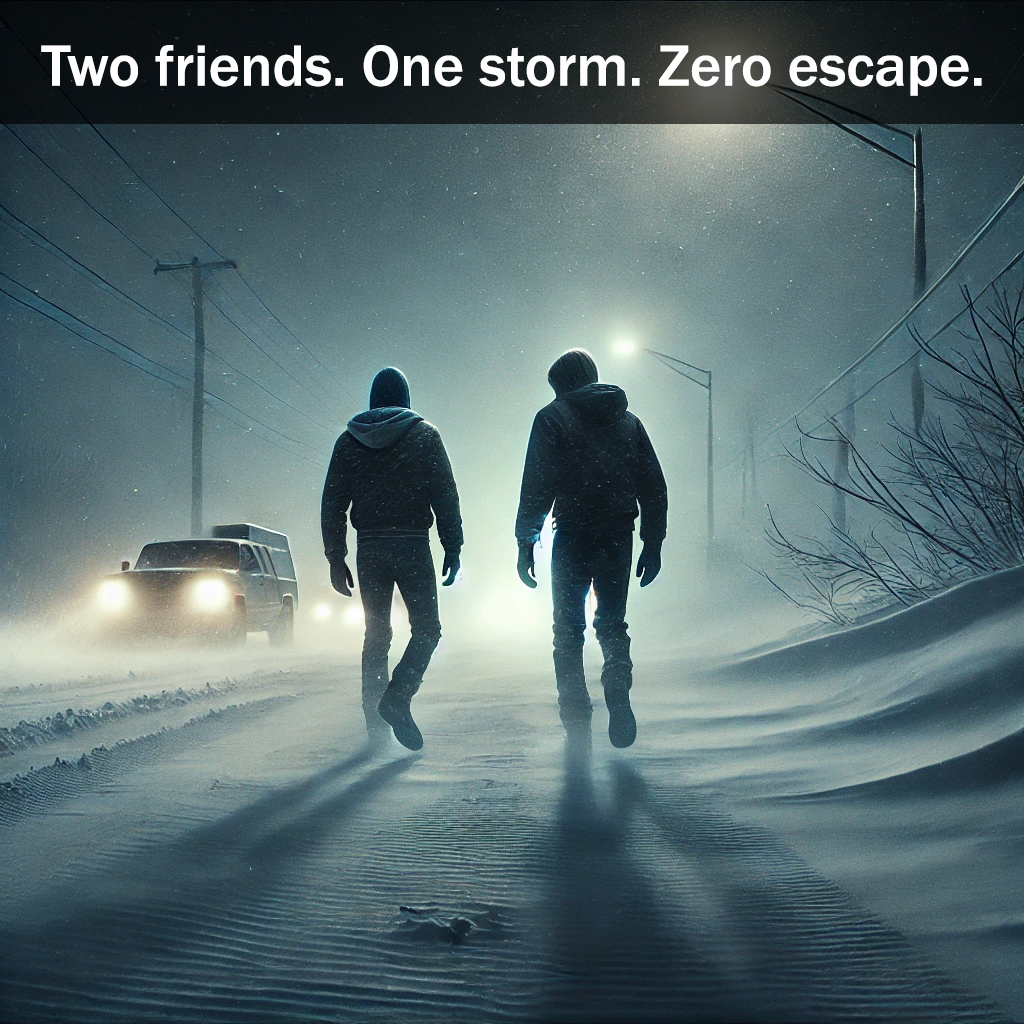
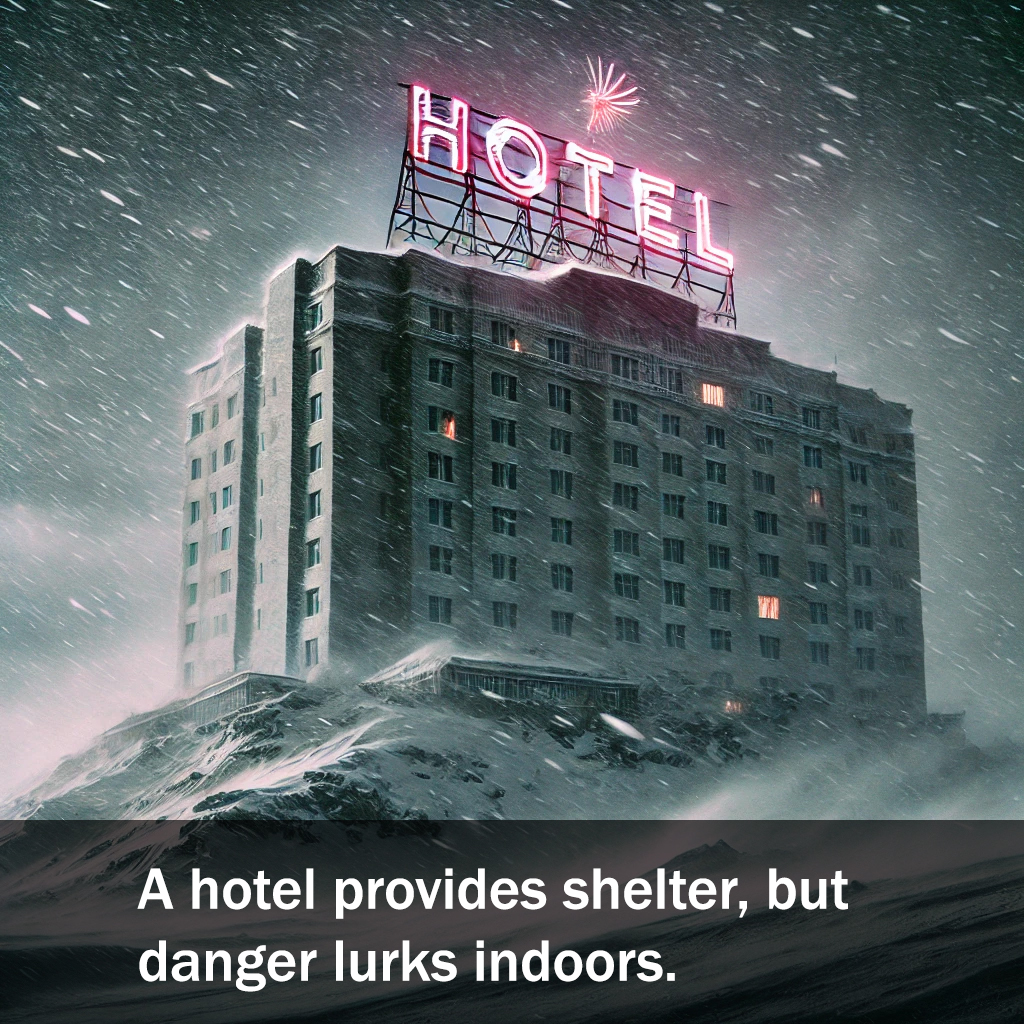
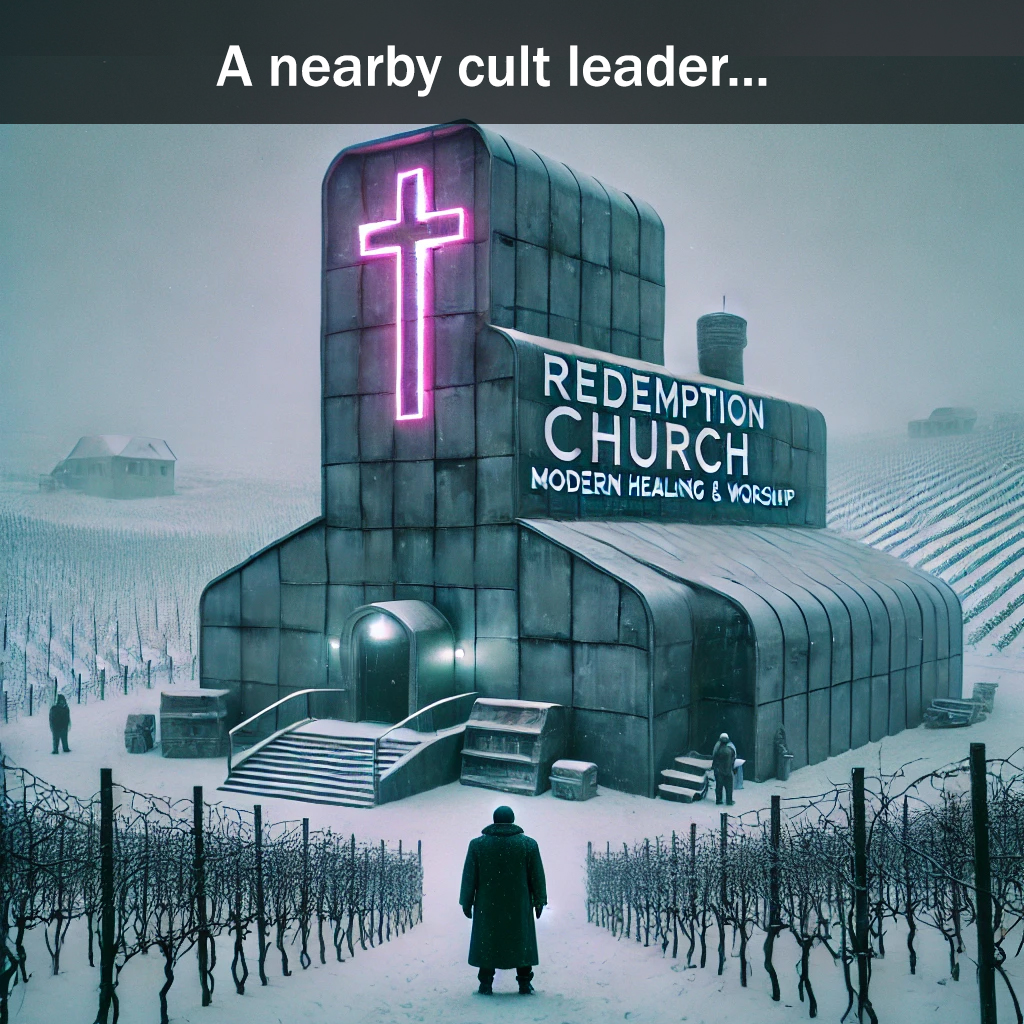
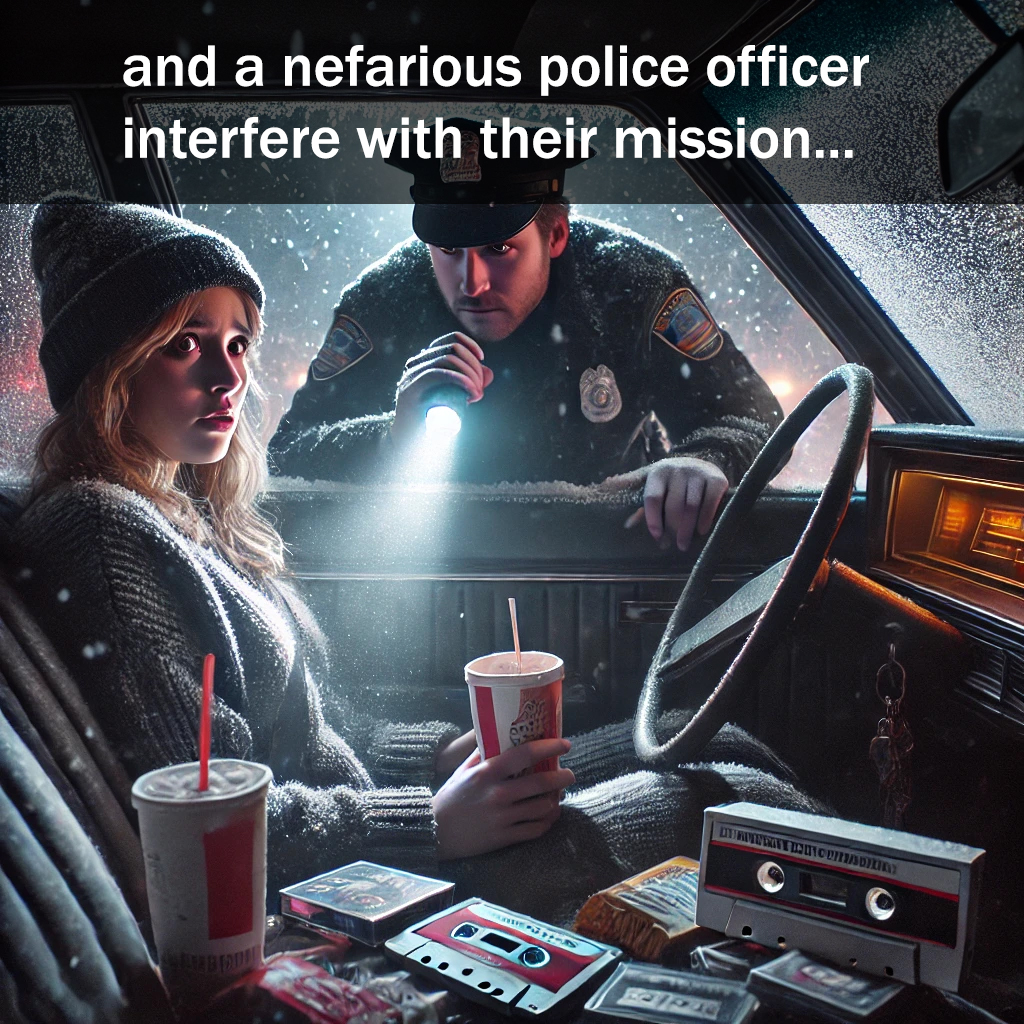
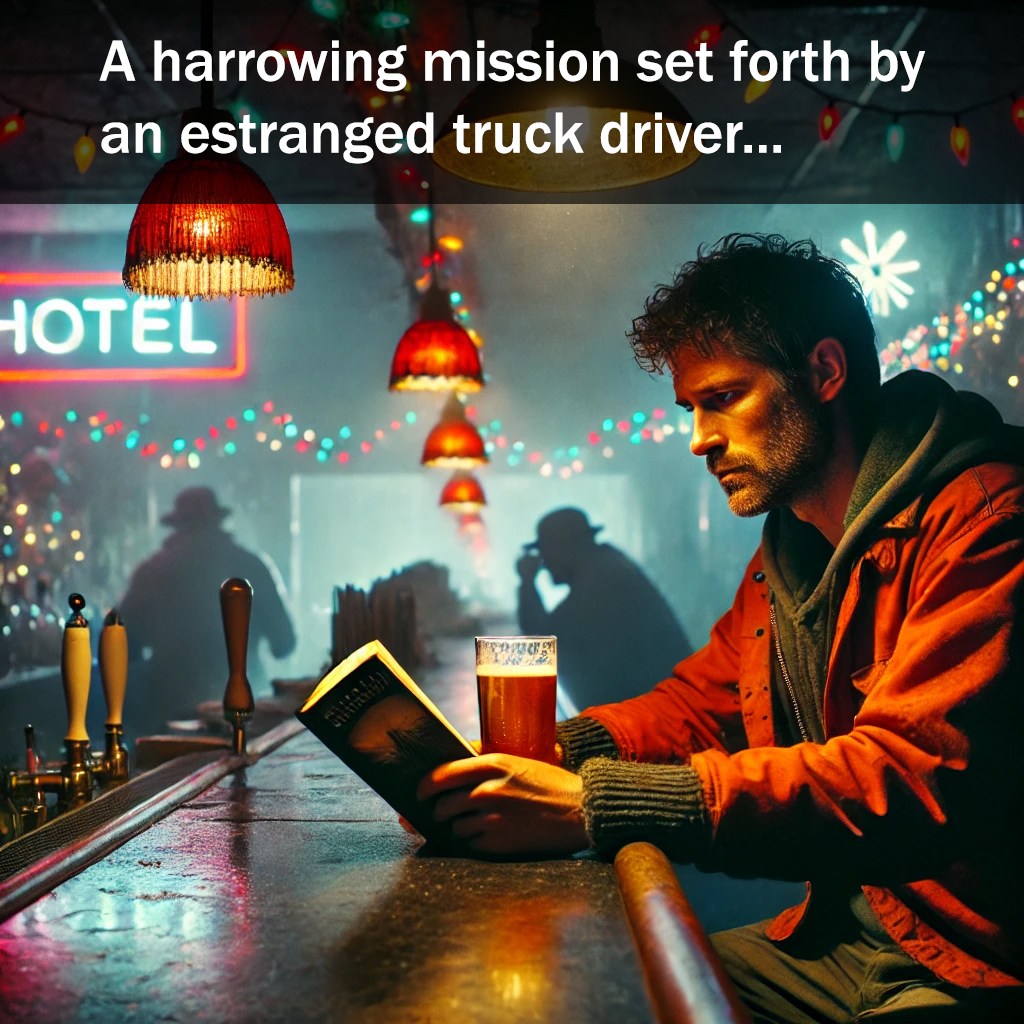
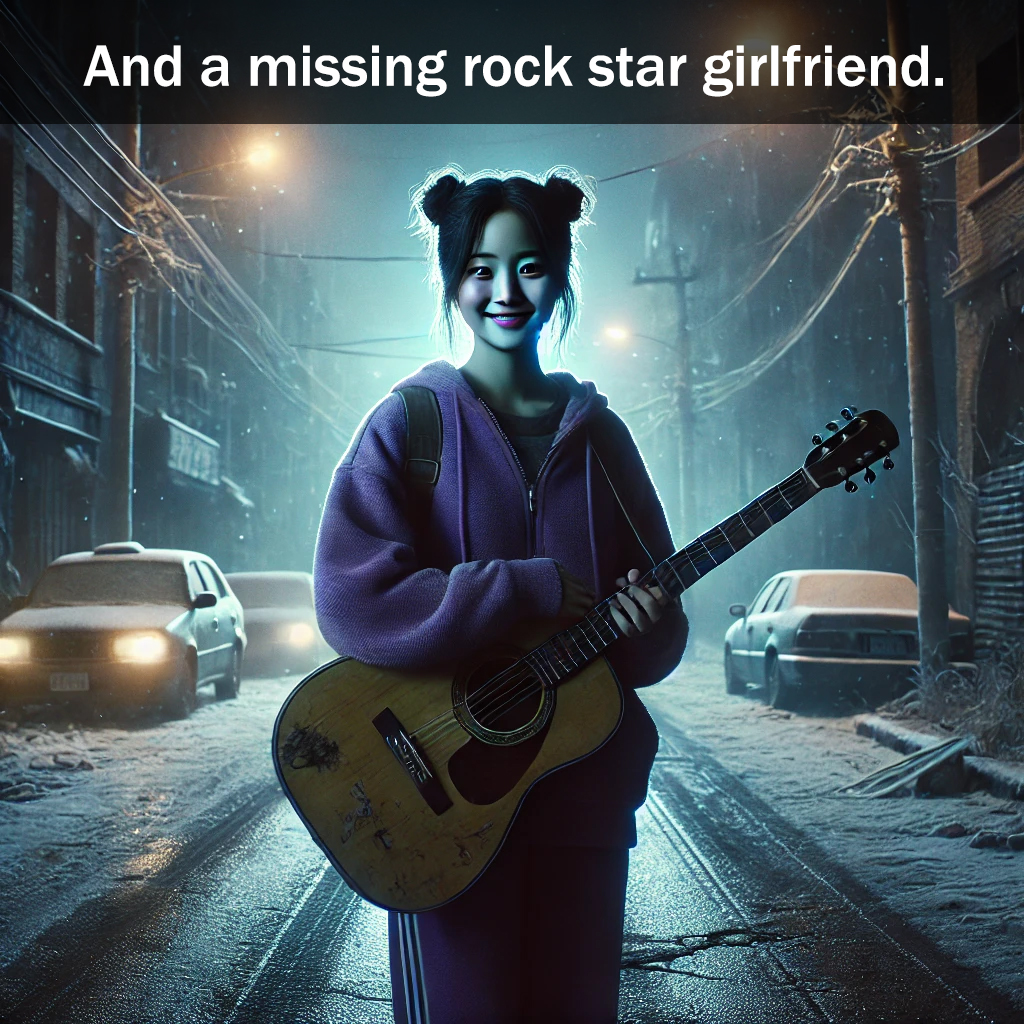
Here is an example of imagery created in DALL-E, utilizing the Dystopian prompt:

A gripping tale of loyalty and survival in the storm of the century
Two friends. One storm. Zero escape.
A hotel provides shelter, but danger lurks indoors.
A nearby cult leader...
and a nefarious police officer interfere with their mission
A harrowing mission set forth by an estranged truck driver
and a missing rock star girlfriend
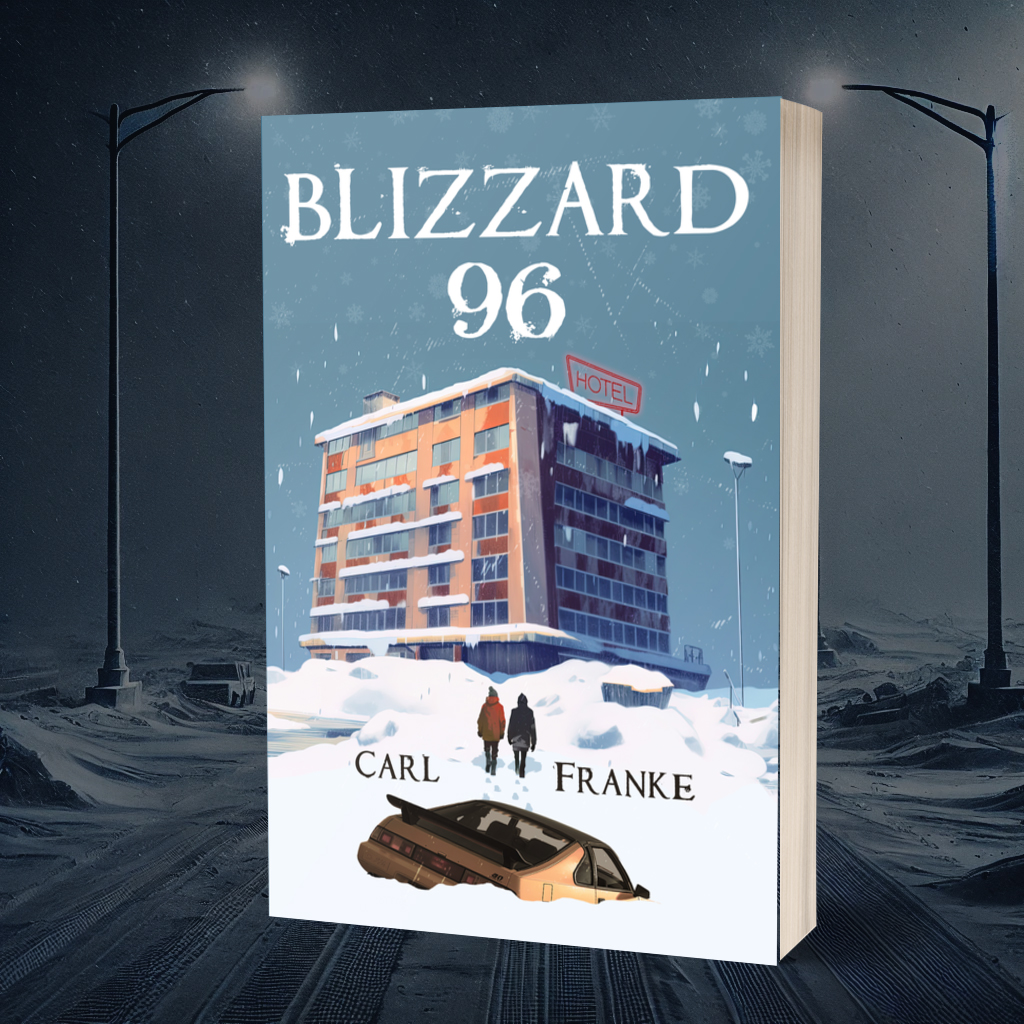
Blizzard 96

TikTok Accounts For Corporate Career Advice

TikTok Accounts For Corporate Career Advice

Most TikTok accounts that I follow are a source of comic relief, simplistic recipes, or music reviews. Although YouTube and LinkedIn have a wealth of career and leadership advice videos, there are many TikTok accounts with insider knowledge from different generations. 

Here are six accounts that I’ve been tapping the fave button on often. What are some of your workplace centric favorites?

Chris Williams
@theclwill
Former Microsoft VP. Provides tips for all stages of careers, focused on leadership. He does a great job breaking down clinical jargon and exposing potential toxic environments.

Lowe Whaley – Your Virtual Work Bestie
@loewhaley
Conducts workshops on the power of personal branding, growing your online social presence, boundary setting, effective communication and work-life integration. Her videos portray a lot of video conference scenarios that are hysterical life lessons.

Tom Fell – Comedian and WFH desk jockey
@tomfellisheokay
Hilarious spirals into of what seems obtuse but is quite actual. His rants follow a series of posturing with smart observations which bubbles into funny climaxes.

Greg Landstaff – Career Coach
@greglangstaff
Provides tips on perfecting resumes, online presence, job search and current corporate trends.

Corporate Truth Teller – Mental Health Therapist / Expert
@nidhitewarilcsw

High Performer Coach
@elissalynn_
Helps high performers detach from work without losing their edge.

Name Droppings

Dry Cleaners

I walked into the dry cleaners. Nobody was around. I tapped the bell.

A woman emerged from the rear carousel conveyor. “Ahhh, don’t tell me,” she said. “Franke with an E, right?”

“Yes!” I smiled. “You’re good.”

It was the same woman that had been there the last several (probably six) times I had visited. And each time, she recalled my name.

We had a minor chat about sushi and floral Hawaiian shirts. I stood, amazed that she pegged me from afar with a quick glance. My sunglasses and Phillies cap seemed to disrupt her memory for just a micro moment. There were no reward cards to swipe, QR codes to scan or any other disruptive consumer tech — just time for an actual conversation and a large, pink receipt to pick up the clothes, a crinkly nostalgic method of remembrance.

Sure, she knew that I was arriving at some point during the week and likely had a list of people in mind, but I’m just one of many regular office dudes stopping in there to get their shirts cleaned.

This verbal personalization amplifies an employee to top-tier. If all goes well, the desire to leave a Google review grows and puts that person in the spotlight, on a pedestal, on the red carpet.

At restaurants, when the bartenders or waitstaff remember your name, it’s as if you’ve arrived at a new echelon of customer service. You’re beyond the barricade of dull greetings and weather chitchat. You’re in the know. The customer experience has entered a realm of new ease and familiarity. If your position is front facing like this, it’s a true skill to rattle off first names and remember preferred cocktails.

Conversely, if you don’t remember frequent return customers, it can be a put off. You don’t remember me and the 35% tip that I left two weeks ago? You don’t recall the long conversation we had about Victory Brewing Company?

When you’re seated and the waiter asks if it’s the first time you’ve ever dined there, and you were there a couple weeks ago chatting with him about your pets and recent trip to Brazil, it can be a cringeworthy experience. I never take it personally, but wonder, my God, I must have been such a drab, boring person that night.

Years ago when I lived next to North Third in Northern Liberties, some bartenders would see me enter and start pouring my usual. I had become a Norm, a local regular whose desire to chat with strangers made it simpler for all.

Whether you use mnemonic devices with alliteration (like Loud Little Lucia) or just have an outstanding memory, you can improve customer relations and promote positive associations with these potent skills of connection.

Mild Nomophobia?

At the quaint coffee shop, I was the sole customer, waiting for my inessential cheese Danish and 16 oz. to-go. A beautiful place, with sprawling plants and rotating artwork on the walls, I chatted a bit with the baristas. But then, I reached for my phone and slowly sat to scan my work emails, seized by the bold unread inbox.

An older gentleman walked in and sneered at me in disgust. I nodded with brief eye contact, but I was caught up troubleshooting an issue. “Whatever,” I thought, feeling the urgency of screen staring was vindicated.

The man placed his order and hovered over me, stopping his final footstep with a slam. I glanced up and his face was contorted as if I was draped with bird droppings.

“You know what?” he asked.

“Here it comes…” I thought, locking the phone.

“I can’t stand this song,” he said.

The Motown hit “My Girl” had been blasted since he entered.

“When I was at camp as a kid…” he said. “The counselors blared this song every morning for two weeks straight to wake us up.”

“I hate it too. It’s just too saccharine. It’s overused in movies and commercials. And every wedding.”

“Yes, it is. I’ve been hating it for 55 years!” The man sat next to me and crinkled his newspaper. We exchanged further comments, clutching our devices.

Staring at my phone in public, especially while walking, is something that I’m trying reduce. I don’t aspire to be a cyborg. Grocery shopping with an Apple Vision Pro strapped on is not a goal.

There’s always a notification to tap into if you crave it. Lingering at a Home Depot line or at your kid’s bus stop are prime moments for great conversations, or just reclaiming a sliver of humanity.

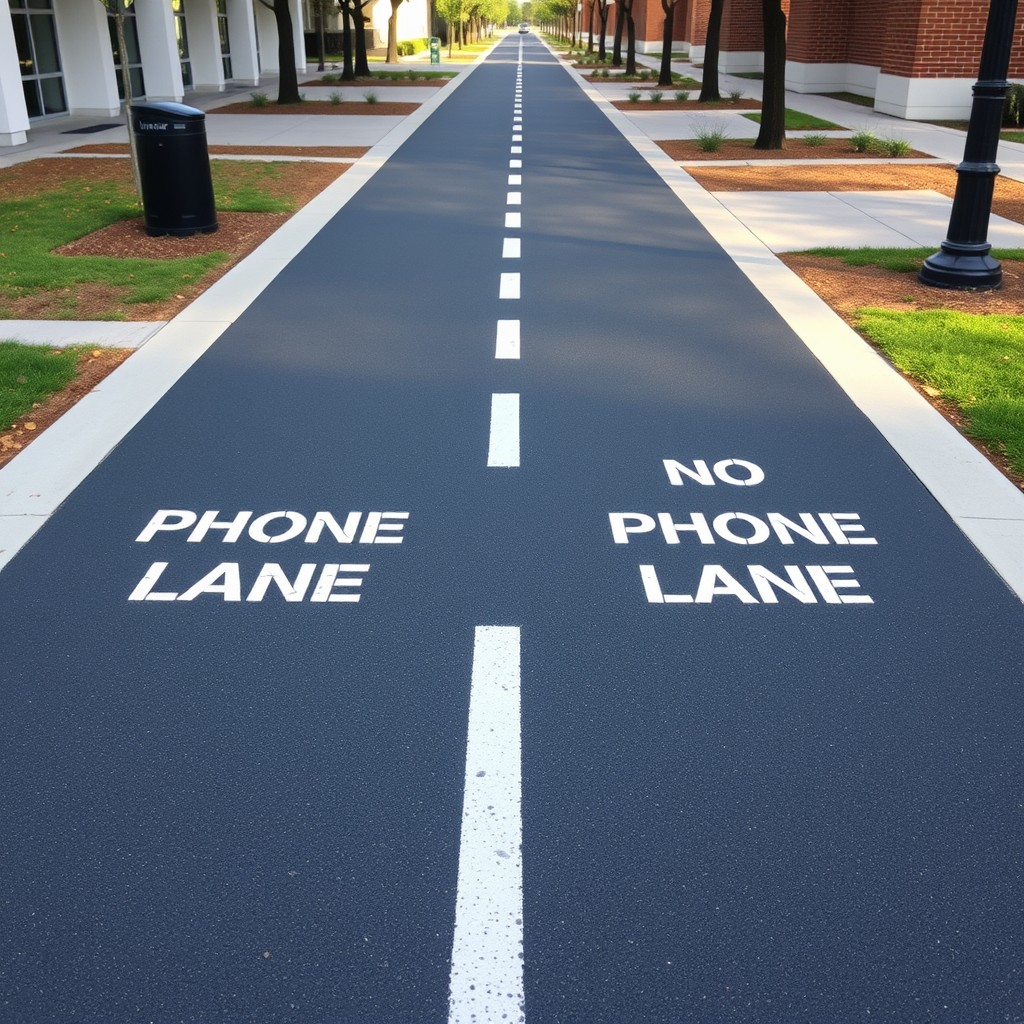
At Oracle Park where the San Francisco Giants play, to help prevent distracted human collisions, they installed separate lanes in the concession areas for walking with and without phones. I thought it was a joke when I first saw it.

Temporary, experimental phone lanes were also developed in Washington D.C., Belgium, Germany and China.

All of this leads to whether nomophobia (anxiety about not having access to a mobile phone and phone services) grips many of us.

For every potentially mundane moment in life, we can season it with a digital serotonin spike and get displaced from our physical surroundings. Are we ditching traditional social manners for the sake of addicted convenience? Are we preferring to be antisocial “offline”, choosing devices over humans?

As I devoured the enormous empty caloric baked good, I realized that portion control of screen (and food) is difficult to regulate for adults and kids alike.

Phone and No Phone Lane

Captions App

The original ad that I saw in TikTok for the iOS app, Captions, was about how it’s an AI influencer tool. Yes, you could use it like that. But the simplest way to describe this app is that it’s like choosing a character with a fixed background to read your script. Of course, it won’t provide you with the thousands of followers that a real influencer has achieved.

I took the free trial version of Captions for a spin.

The character’s enunciation and phrasing can be tweaked a bit with punctuation, but it’s still rather locked into the persona’s sample style. You’re not going to make the characters cry, break a sweat, get a wardrobe change, pull back their hair or get into a giggle fit.

For certain characters, the lips and mouth movements weren’t matching the words, like a 70s Kung Fu film.

As with the app name, Captions creates beautiful captions, giving specific words more emphasis and providing many animation styles that are downright hypnotic and provide an easy read. Branded font colors available? Yep, you can do that.

You can also supply several photos for the character to appear in front of. The character can appear at various sized scales, which makes for a more exciting watch.

Here’s an example. (Of course, I had this character promote one of my books.):

@genxdada Blizzard 96 is a funny yet suspenseful college buddy novel packed with 90s nostalgia. Set in Berks County, Pennsylvania. #kutztown #kutztownuniversity #fictionalcharacters #novelasmexicanas ♬ original sound – Carl Franke

Here’s another example:

@genxdada Check out “Blizzard 96” for your next summer read. It’s a suspenseful story that’s packed with 90s nostalgia. #summerreading #fictionalcharacters #kutztown #bookstore #booktok ♬ Jacob and the Stone (Slowed) – Emile Mosseri & sped up + slowed

Also, here’s an example where I do a joke interview:

@genxdada AI influencer discussion. #ai #socialmediamarketing #iosapps #videomarketing ♬ original sound – Carl Franke

Does Using AI Tools For Apartment Searches Make The Process Simpler?

Using AI for Apartment Searches

As a marketer in the multifamily apartment industry, spotting renters in their “journey” through the funnel is always exciting. Contact form conversions are shown in Google Analytics. Voicemails from prospects that called a tracking number can be played in a CRM. These are tangible. We can clearly see the marketing source working, at least the one in which they decided to connect with.

But these days, you could see a 15% decrease in Users visiting your website week-over-week, but actually get a boost in Users consuming data from your website from other means.

As Google continues to provide search result enhancements via featured snippets, knowledge panels, local packs (map results), the “zero click” phenomenon continues to rise. This is simply obtaining the sought out information directly in Google search, without clicking over to a website. Nearly 60% of Google searches now end without a click in 2024.

Never heard of “zero click”? You’re likely already doing it. Type in “The Bear reviews” and scroll through over 1,400 audience reviews of the Hulu show without leaving Google search. Type in “Phillies” and get the live score of the game. Type in an apartment community name and read reviews, view photos and floor plans, get ratings from other sources—all without leaving Google search.

With Google’s SGE (Search Generative Experience) now added to the mix, AI is packed into the search results, combining immediate research from multiple resources into one large answer. But how a search is phrased seems to be needed to trigger SGE.

Side Note: I’ve noticed that since SGE went from a Google Labs opt-in experience to public, the results for branded search have both positive and negative reviews removed from the mix. Previously, sentiments from customers were used to help define a company.

With voice search on the rise via smartphones, digital assistants, wearable devices and smart speakers, website visits will likely decrease. In 2024, 45% of Americans report using voice search on their smartphones.

And now with multiple AI solutions available for research, indirect conversions from website data will likely increase and get more difficult to prove. OpenAI ChatGPT, Google Gemini, Bing Copilot, Claude and Perplexity don’t provide search query data, so today’s marketer can’t obtain any valuable info on what prospects are querying.

Are potential renters using AI tools to find their new homes? I’m not certain, but here’s how many active users some of big players have:

  • ChatGPT: 200 million (May 2024)
  • Google Gemini: 142 million (early 2024)
  • Bing Copilot: 140 million (April 2024)
  • Perplexity.ai: 10 million (July 2024)

Let’s test out some potential experiences.


ChatGPT

For ChatGPT, with GPT-4o, I provided the following query:

Can you provide a list of the three best apartment communities in Austin, Texas that have a 1 bedroom starting at no more than $1,600. Other requirements needed are a dog friendly community that includes on-site parking and an outdoor swimming pool. Finally, can you include only those with rent specials with big savings?

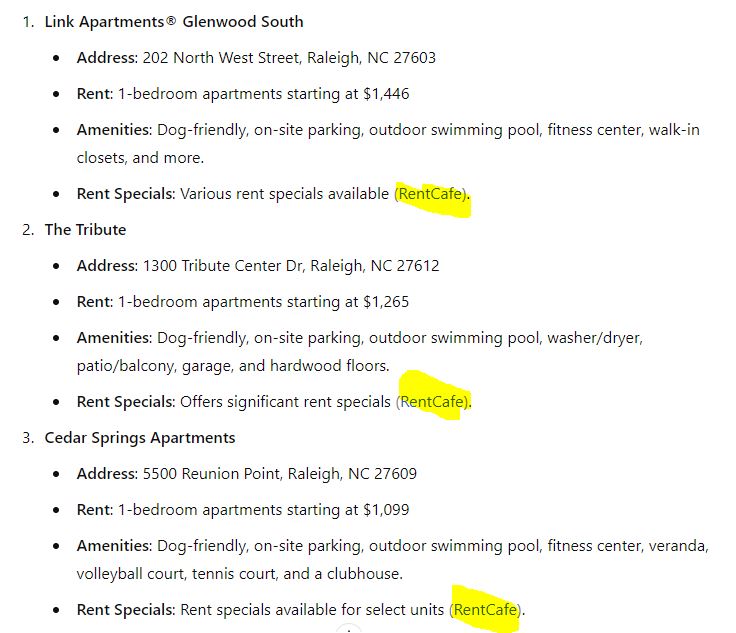
I also tried it for Nashville, TN, Raleigh, NC and Columbus, OH, changing only the city name and market rate for a 1 bedroom. For each result, RentCafe was provided as the source. Example:

ChatGPT query results

I then asked why RentCafe is only being used as a source of data. Response:

ChatGPT results

I then tried the same query for Manayunk, Philadelphia and sources then switched to Redfin.

In querying later in the day, the results were completely different, but the source remained the same for all “top three” answers. This creates a bit of distrust and realized source favoritism. Speaking of being partial, the query results for the Austin search listed only communities from Northland.

Utilizing the voice chat feature in the ChatGPT iOS app, the results were a let down. After reiterating what my absolutes were for a potential apartment in Phoenix, AZ, and then answering follow-up leasing questions, I had to wait through over three minutes of silence to finally be provided with advice on how to search elsewhere. Check out the conversation here:


Bing Copilot

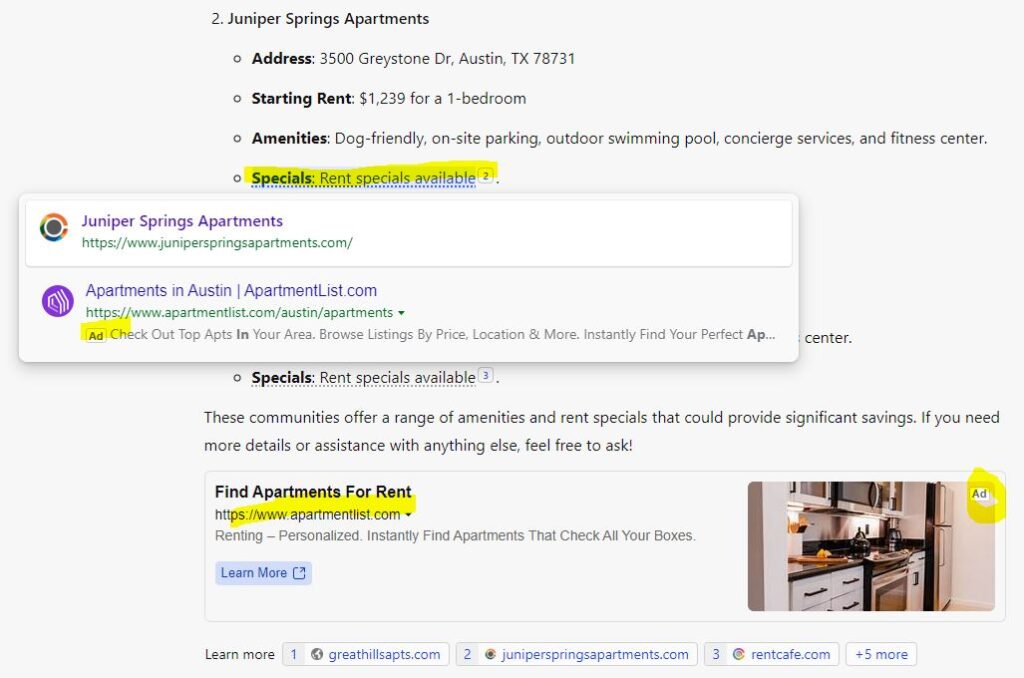
Using the same query that I used for ChatGPT above, the Bing Copilot results included distracting ads for ApartmentList.com. See below in yellow. The ads didn’t link to the city specific section of ApartmentList.com either, which is some wasted ad dollars.

Bing Copilot apartment search

When I whittled down a Raleigh, NC search, I asked if it could provide the pros and cons of Google reviews for The Tribute and Cedar Springs Apartments. It then gave an analysis and chose The Tribute as the clear winner:

Bing Copilot apartment search conclusion

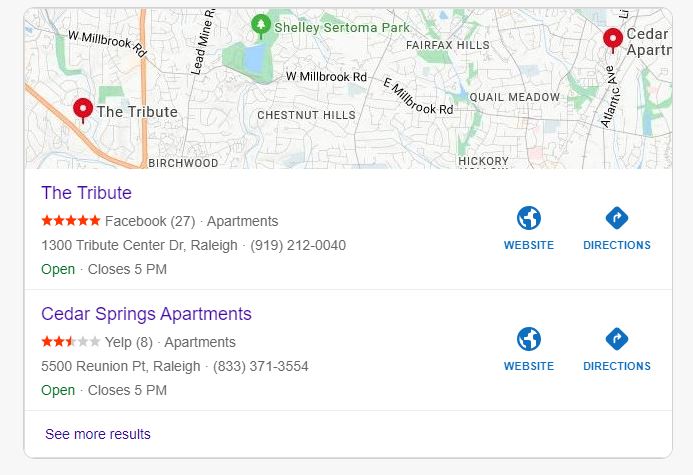
It also provided a screenshot of reviews from Facebook and Yelp, putting Cedar Springs in a bad light. It decided to show the 2.4 Yelp rating even though Cedar Springs had much higher ratings on other sources, including 3.5 on ApartmentRatings.com and 3.8 on Apartments.com:

Bing Copilot ratings

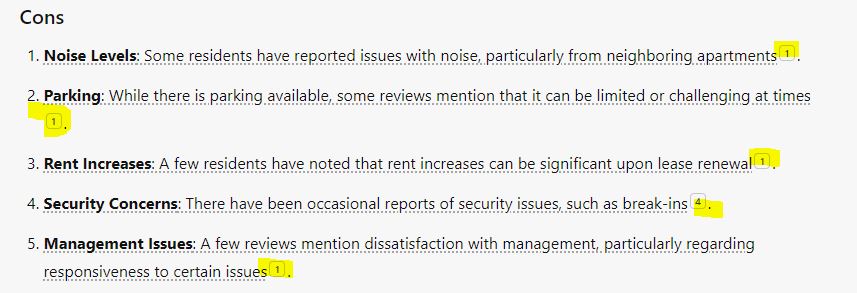
When asking to provide a sentiment analysis and the pros and cons of living at each community, Copilot provided individual URLs to each category statement, shown in yellow below. When hovering over the quantity of sources, the links would appear. Copilot seems the most transparent for data attribution.


Google Gemini

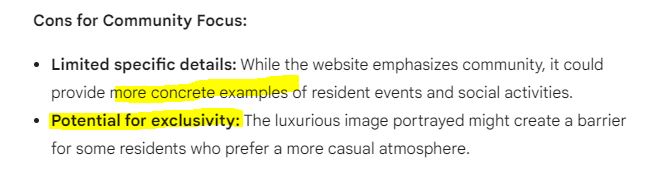
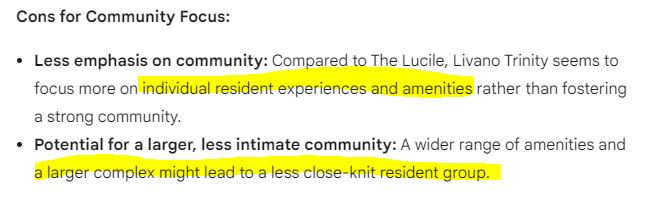
With Google Gemini, I asked for a pros and cons comparison for two Nashville, TN communities (The Lucile and Livano Trinity). I indicated that community events and a social atmosphere were super important to me.

For The Lucile, one of the cons was “potential for exclusivity”, hinting that luxury living could impede on the social lax vibe that I was seeking.

Google Gemini apartment search results

Interestingly, Gemini indicated that Livano Trinity’s large 300+ unit size could lead to a “less close-knit resident group”:

Google Gemini apartment search results

Both of these examples above reveal how Gemini highly values whatever is designated as vital in the query.

In requesting a sentiment analysis of Google Business reviews for both communities, Gemini was unable to do so. It stated: Google’s API restrictions prevent me from directly scraping and processing review data in this way.

Amazingly, you figure that this would be the one AI experience where Google reviews could be sifted through a colander and pinpoint spicy trends. But, nope.

Gemini also doesn’t reveal sources. It simply recommended visiting review sites, ILS sites and the community website. See below:

Google Gemini oversight

Perplexity.ai

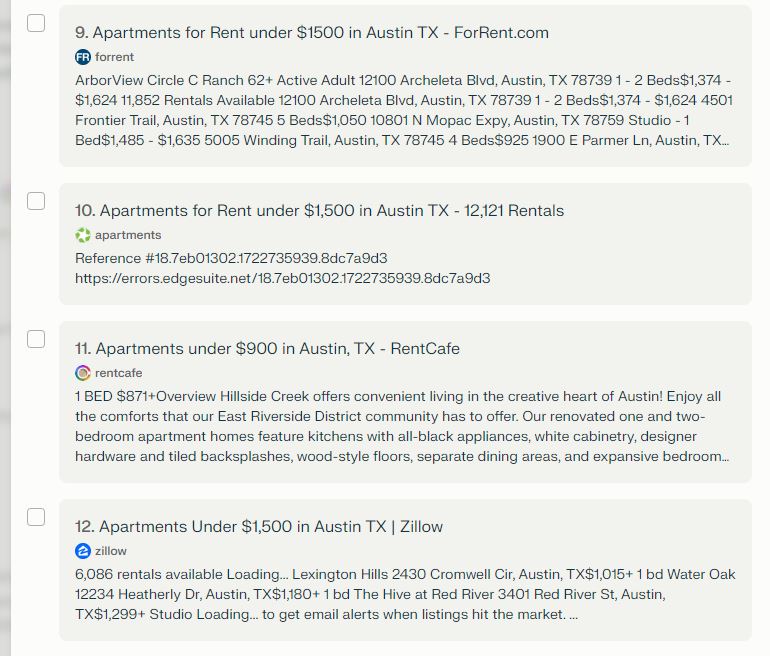
In utilizing the same query that I originally used for ChatGPT, Perplexity.ai provided three options and detailed the 12 sources for the results. Below are four of the ILS sources which have direct links to pre-filtered selected pages.

Perplexity.ai sources

I then asked if it could search all review sites possible to determine sentiment and develop a pros and cons list. It was able to compile info from Yelp, ApartmentRatings.com, Zillow and the property website which utilized Birdeye. Google Business reviews could not be tapped into.


ChatGPT … Another Test

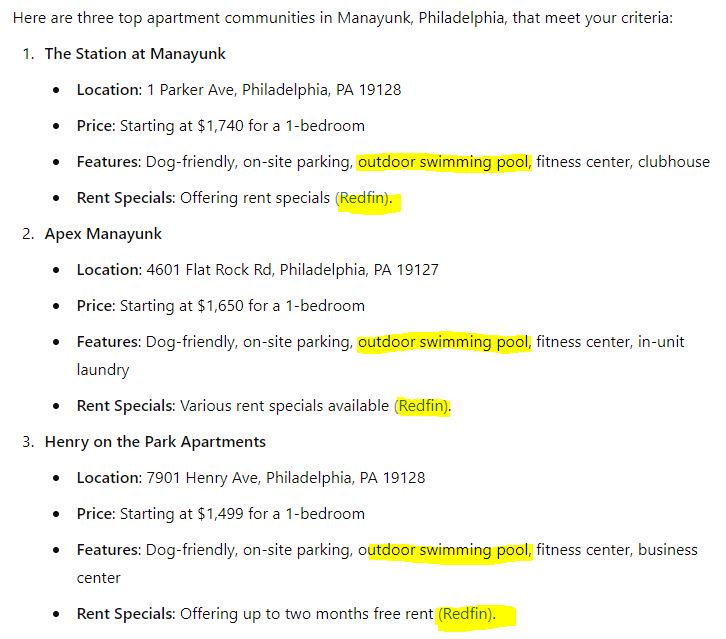
So, I got more Philly centric and queried about some Manayunk area apartments. With one of my absolutes being an outdoor swimming pool, it provided the below three top selections. But only one of these communities, Henry On The Park, actually has a pool.

ChatGPT manayunk results

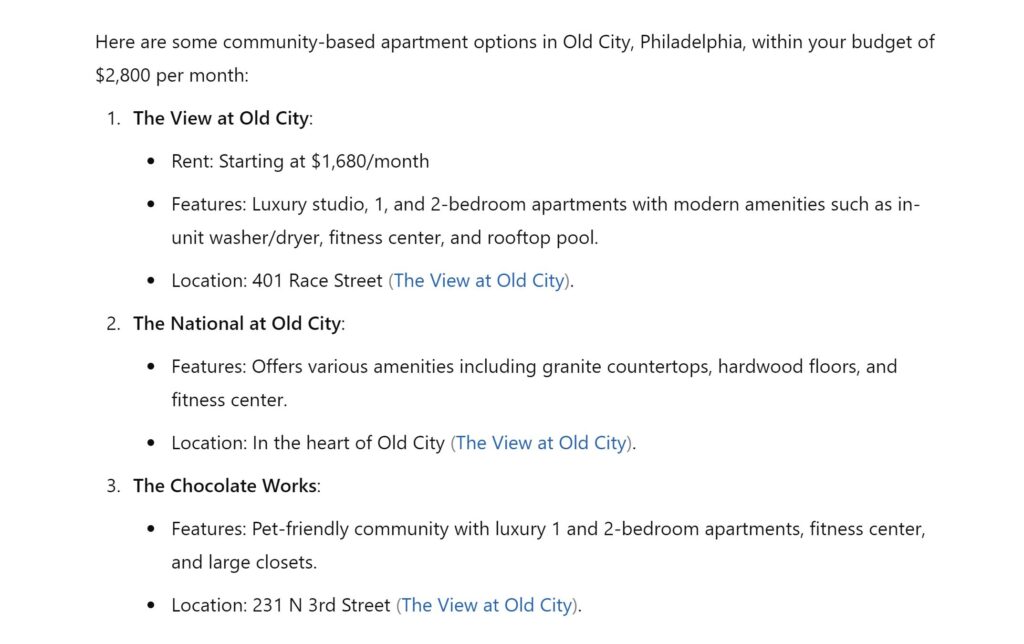
And when requesting some Old City, Philly apartments, it provided the website link to The View At Old City for ALL results. This is a disservice to the competitors and an obvious web traffic boost for The View At Old City.

ChatGPT old city results

Claude

Even with the Claude.ai 3.5 Sonnet Pro version, the apartment search ends relatively early with this:

I don’t have access to real-time rental information or current availability. The rental market changes frequently, and prices and specials can vary. Additionally, what constitutes “the best” can be subjective.
Instead, I can provide you with a general approach to find apartments that match your requirements: Use apartment search websites like Apartments.com, Zillow, or Rent.com.


Conclusion?

Although AI is effectively built into leasing widgets and chatbots, utilizing FAQs and tabled data for info, and although it’s fantastic for content creation, using these platforms as a prospect has a lot of pitfalls and inaccuracies.

For the tests above, I didn’t spend much time on the queries and the results are wildly varied. Spotting obvious errors and looming through UX oddities is perplexing. At its current state, I imagine many prospects would bounce from the experience and lean toward organic searches, ILS sites and social media.

Of course, these issues will probably disappear in a week based on the rapid progression of AI tools. 🤯 … More to come on that!

Have you tested the waters with these tools yet with your prospect hat on yet? What was your experience like?

« Older posts Newer posts »

© 2026 Carl Franke

Theme by Anders NorenUp ↑